> ## Documentation Index
> Fetch the complete documentation index at: https://staging.docs.flowsign.app/llms.txt
> Use this file to discover all available pages before exploring further.
# Support
> Contact the FlowSign team, and find your organisation reference for support requests.
**Support** is where to reach the FlowSign team directly from the app.
 ## Contact support
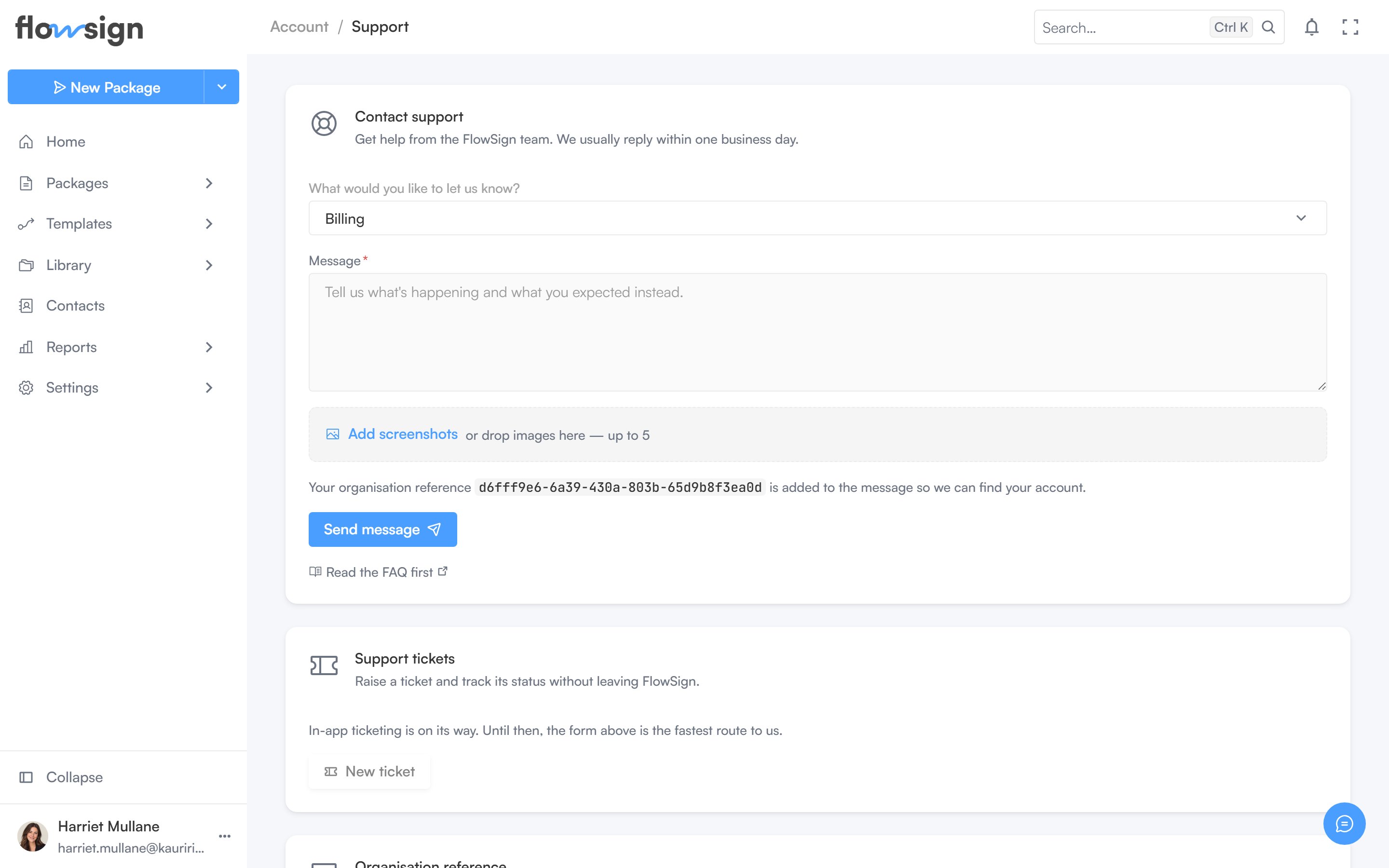
("Get help from the FlowSign team. We usually reply within one business day.") Pick **What would you like to let us know?**, write a **Message**, and optionally attach files, then **Send message**. Your organisation reference is added automatically so the team can find your account. A **Read the FAQ first** link is offered alongside the form.
After sending, a confirmation shows: "Thanks – we've got your message.", with a **Send another message** option.
## Support tickets
The **New ticket** button is disabled with a **Coming soon** tooltip. Use the contact form above to reach support.
## Organisation reference
Your organisation's reference code, with a copy button, to quote when contacting support through another channel.
## Related
* [My Account](/guides/account/my-account)
* [Walkthroughs](/guides/account/walkthroughs)
* [Release labels](/release-labels)
## Contact support
("Get help from the FlowSign team. We usually reply within one business day.") Pick **What would you like to let us know?**, write a **Message**, and optionally attach files, then **Send message**. Your organisation reference is added automatically so the team can find your account. A **Read the FAQ first** link is offered alongside the form.
After sending, a confirmation shows: "Thanks – we've got your message.", with a **Send another message** option.
## Support tickets
The **New ticket** button is disabled with a **Coming soon** tooltip. Use the contact form above to reach support.
## Organisation reference
Your organisation's reference code, with a copy button, to quote when contacting support through another channel.
## Related
* [My Account](/guides/account/my-account)
* [Walkthroughs](/guides/account/walkthroughs)
* [Release labels](/release-labels)