> ## Documentation Index
> Fetch the complete documentation index at: https://staging.docs.flowsign.app/llms.txt
> Use this file to discover all available pages before exploring further.
# Notifications
> A feed of updates about your documents and packages, grouped by date.
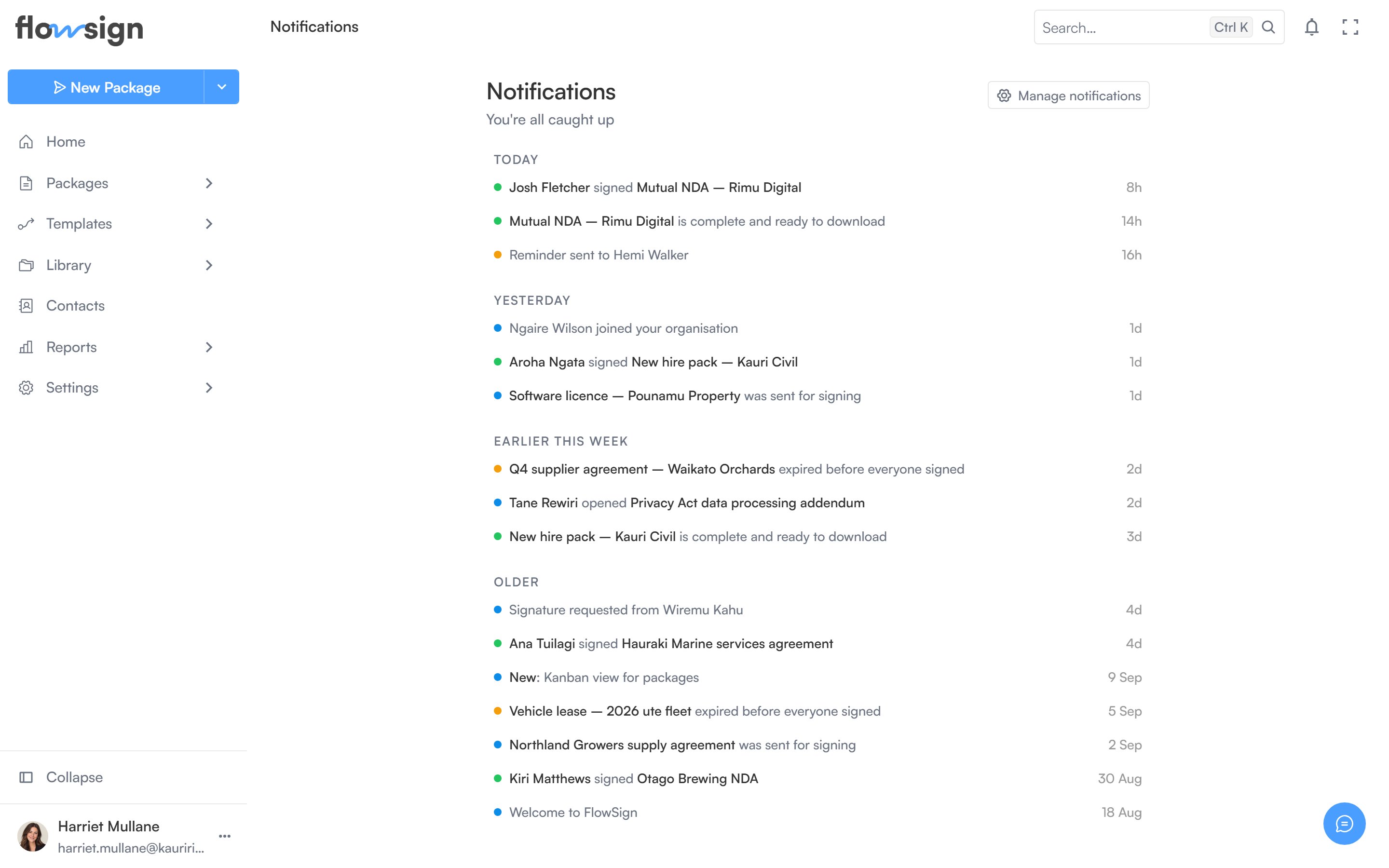
**Notifications** lists updates about your packages and documents, newest first, grouped by date.
 ## Header
The header shows how many notifications are unread (or **You're all caught up** at zero). Two actions sit alongside it:
* **Mark all read**, shown only when there are unread notifications.
* **Manage notifications**, which opens your [notification preferences](/guides/account/notifications).
## Feed
Each row shows a coloured status dot, the notification's content, and a relative timestamp. Unread rows are highlighted. Clicking a row marks it read and, if the notification links somewhere, navigates you there. An **Archive** button on each row removes it from the feed.
An empty feed shows **No notifications yet**, with a hint that updates about your documents and packages will show up here.
## Related
* [Notification preferences](/guides/account/notifications)
* [Home](/guides/general/home)
## Header
The header shows how many notifications are unread (or **You're all caught up** at zero). Two actions sit alongside it:
* **Mark all read**, shown only when there are unread notifications.
* **Manage notifications**, which opens your [notification preferences](/guides/account/notifications).
## Feed
Each row shows a coloured status dot, the notification's content, and a relative timestamp. Unread rows are highlighted. Clicking a row marks it read and, if the notification links somewhere, navigates you there. An **Archive** button on each row removes it from the feed.
An empty feed shows **No notifications yet**, with a hint that updates about your documents and packages will show up here.
## Related
* [Notification preferences](/guides/account/notifications)
* [Home](/guides/general/home)