> ## Documentation Index
> Fetch the complete documentation index at: https://staging.docs.flowsign.app/llms.txt
> Use this file to discover all available pages before exploring further.
# API keys
> Access the FlowSign REST API from your own account.
**API keys** requires a plan with the `publicApi` gate; on a lower plan the page shows a locked upsell instead. Even with the gate unlocked, creating a key also needs the `canAccessApi` permission.
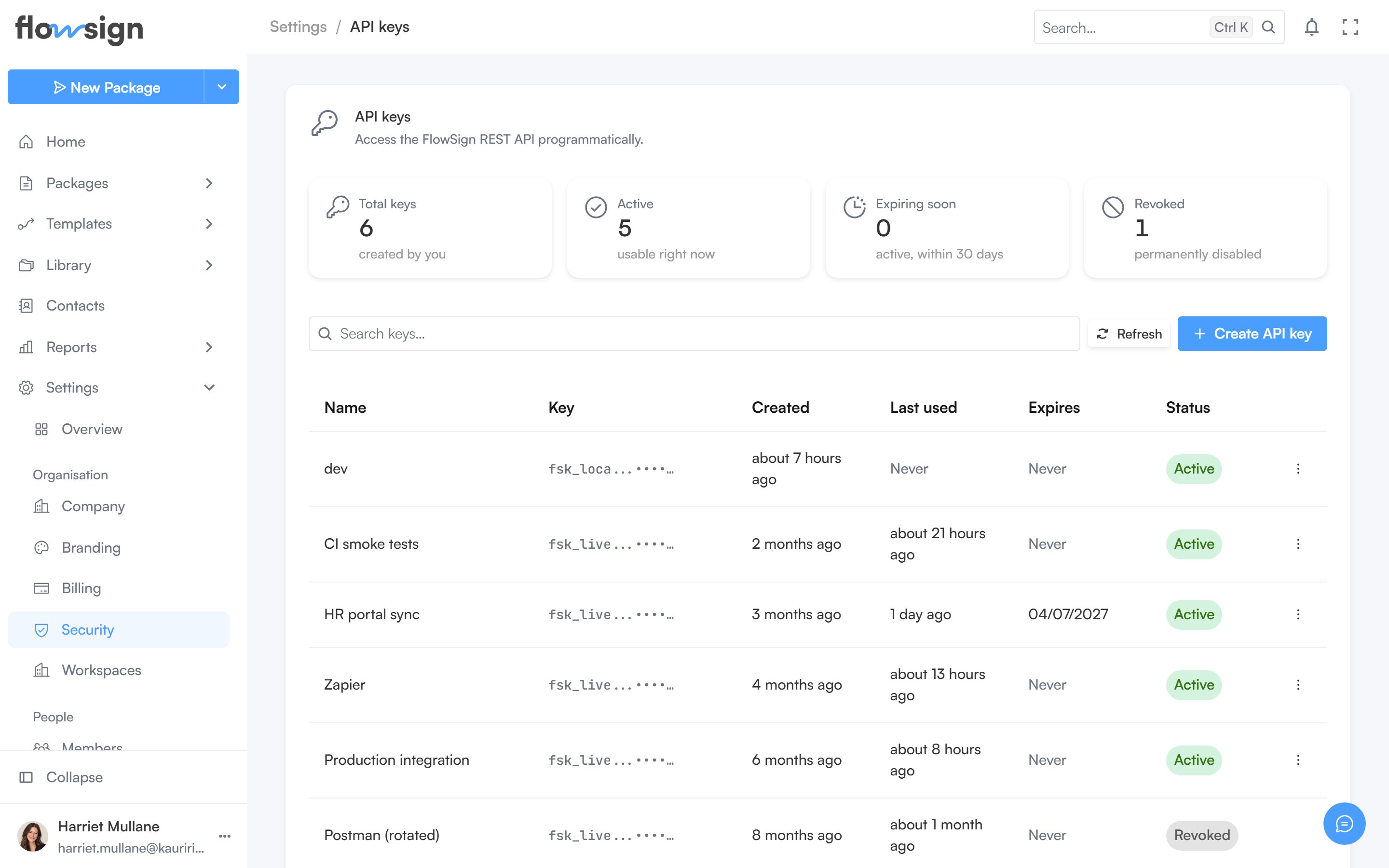 Manage your personal API keys here: create a new key, and revoke ones you no longer use. See the [API reference](/api-reference/authentication) for how to authenticate requests with a key.
## Related
* [API reference](/api-reference/authentication)
* [Webhooks](/guides/settings/webhooks)
* [Integrations](/guides/settings/integrations)
Manage your personal API keys here: create a new key, and revoke ones you no longer use. See the [API reference](/api-reference/authentication) for how to authenticate requests with a key.
## Related
* [API reference](/api-reference/authentication)
* [Webhooks](/guides/settings/webhooks)
* [Integrations](/guides/settings/integrations)