> ## Documentation Index
> Fetch the complete documentation index at: https://staging.docs.flowsign.app/llms.txt
> Use this file to discover all available pages before exploring further.
# Branding
> Your logo and brand colour on the emails sent to signees.
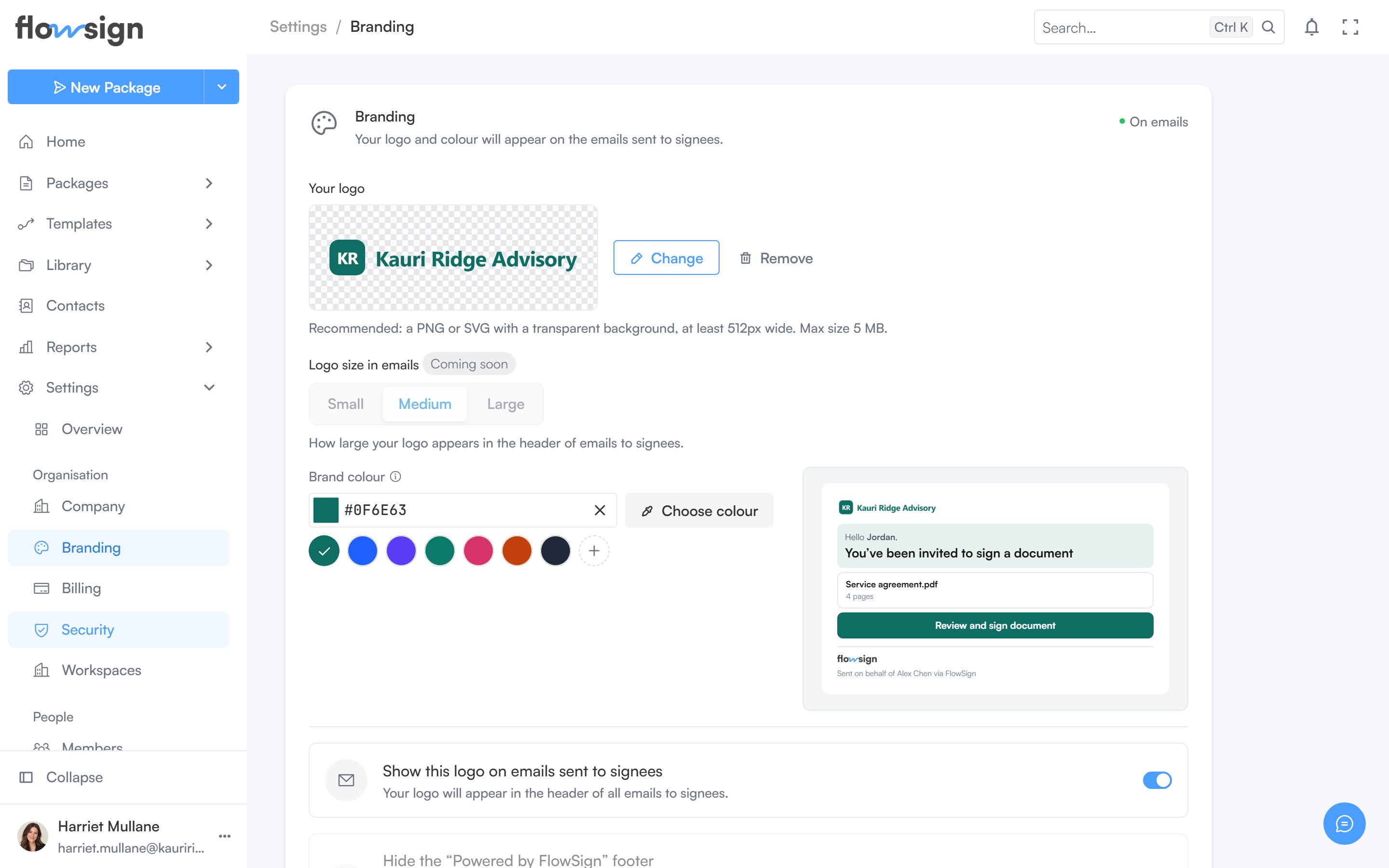
**Branding** ("Your logo and colour will appear on the emails sent to signees.") requires a plan with the `customBranding` gate. On a plan without it, the section shows a locked upsell instead.
 ## Your logo
Upload a logo (PNG or SVG with a transparent background recommended, at a minimum width and a maximum file size the page states). Uploading, replacing and removing are all done from the same control.
**Logo size in emails** is marked **Coming soon** and is currently fixed.
## Brand colour
Pick a colour that colours the header panel and button on signing invitations. Leave it blank to use the FlowSign blue. A mini preview shows the effect live; **Save colour** commits it.
## Email options
* **Show this logo on emails sent to signees**: on once a logo is uploaded.
* **Hide the "Powered by FlowSign" footer**: marked **Coming soon**, currently disabled.
A status chip on the section shows whether your branding is currently **On emails** or **Not on emails**, and a preview button shows a sample invitation email with your branding applied.
## Related
* [Company](/guides/settings/company)
* [Billing](/guides/settings/billing)
* [Release labels](/release-labels)
## Your logo
Upload a logo (PNG or SVG with a transparent background recommended, at a minimum width and a maximum file size the page states). Uploading, replacing and removing are all done from the same control.
**Logo size in emails** is marked **Coming soon** and is currently fixed.
## Brand colour
Pick a colour that colours the header panel and button on signing invitations. Leave it blank to use the FlowSign blue. A mini preview shows the effect live; **Save colour** commits it.
## Email options
* **Show this logo on emails sent to signees**: on once a logo is uploaded.
* **Hide the "Powered by FlowSign" footer**: marked **Coming soon**, currently disabled.
A status chip on the section shows whether your branding is currently **On emails** or **Not on emails**, and a preview button shows a sample invitation email with your branding applied.
## Related
* [Company](/guides/settings/company)
* [Billing](/guides/settings/billing)
* [Release labels](/release-labels)