> ## Documentation Index
> Fetch the complete documentation index at: https://staging.docs.flowsign.app/llms.txt
> Use this file to discover all available pages before exploring further.
# Integrations
> Storage connectors and third-party integrations, and how automations work.
**Integrations** requires organisation admin. It explains how automations work ("A trigger fires when something happens in FlowSign, then any number of actions run in the tools you connect.") and lists available connectors, grouped:
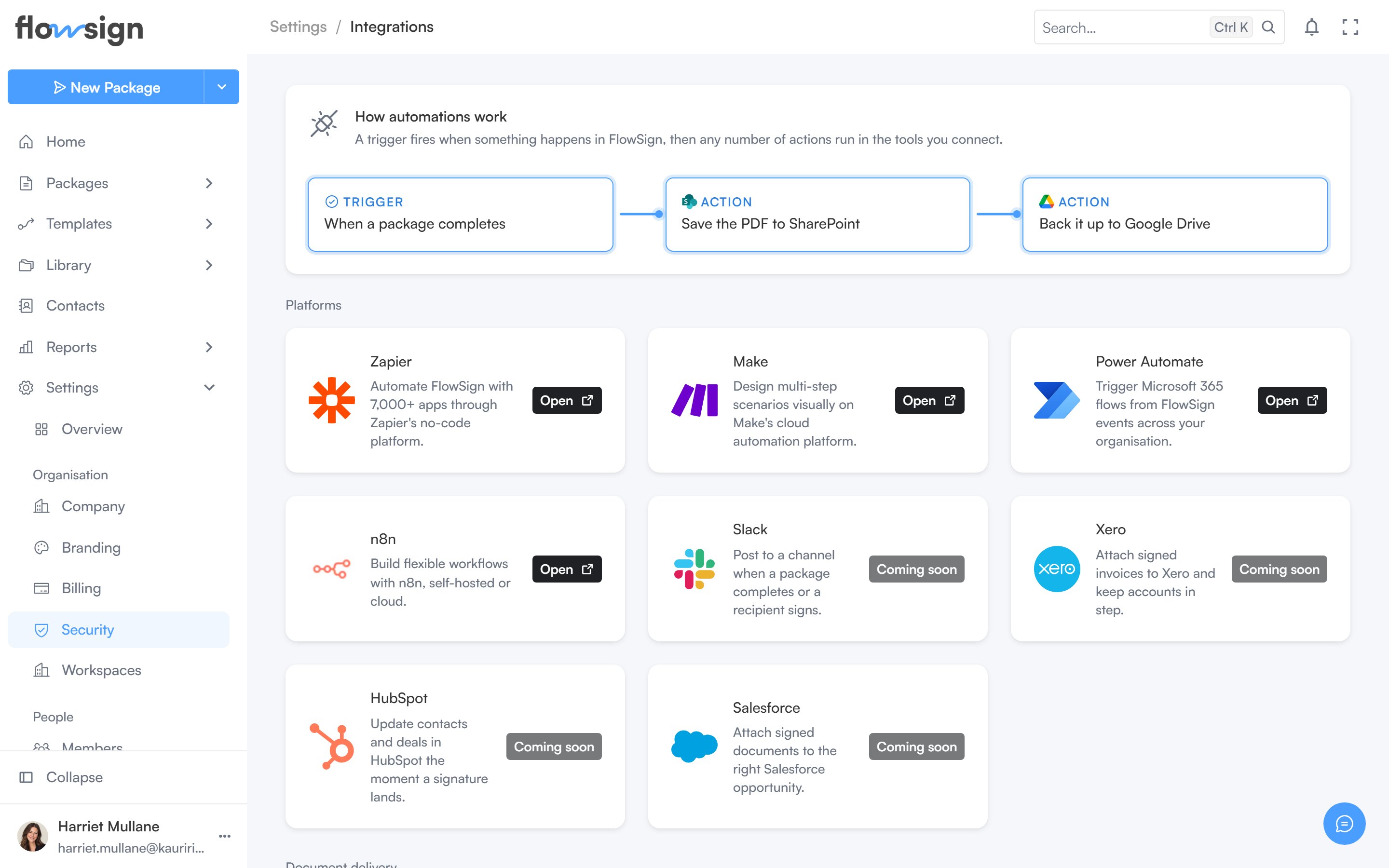 * **Document delivery**: SharePoint, Google Drive, OneDrive.
* **Contacts**: Outlook Contacts, Entra Directory, Google Contacts.
* Automation tools: Zapier, Make, Power Automate, n8n.
* Other connectors: Slack, Xero, HubSpot, Salesforce.
A further section lists example automations you could build through a connector or the API.
## Related
* [Zapier](/integrations/zapier)
* [n8n](/integrations/n8n)
* [Webhooks](/guides/settings/webhooks)
* [API keys](/guides/settings/api-keys)
* **Document delivery**: SharePoint, Google Drive, OneDrive.
* **Contacts**: Outlook Contacts, Entra Directory, Google Contacts.
* Automation tools: Zapier, Make, Power Automate, n8n.
* Other connectors: Slack, Xero, HubSpot, Salesforce.
A further section lists example automations you could build through a connector or the API.
## Related
* [Zapier](/integrations/zapier)
* [n8n](/integrations/n8n)
* [Webhooks](/guides/settings/webhooks)
* [API keys](/guides/settings/api-keys)