> ## Documentation Index
> Fetch the complete documentation index at: https://staging.docs.flowsign.app/llms.txt
> Use this file to discover all available pages before exploring further.
# Members
> Invite and manage the people in your organisation, their roles and pending invitations.
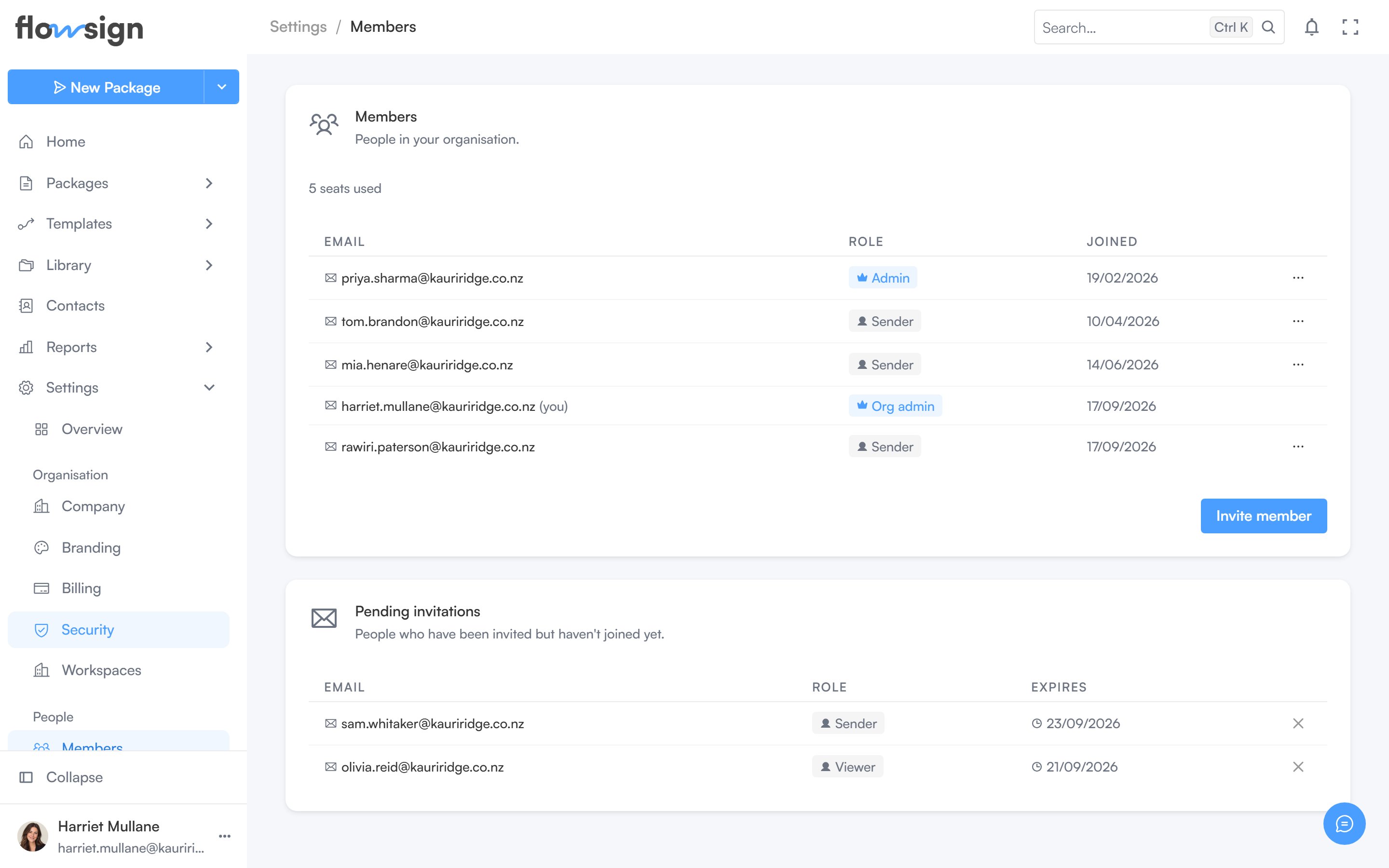
**Members** ("People in your organisation.") lists everyone with access, plus pending invitations.
 ## Members
A seat count sits above the table. **Invite member** opens a dialog to set an **Email address**, a **Workspace** and a **Permission profile**; it is disabled at your plan's seat limit. Requires permission to invite (`canManageMembers`-gated actions in general).
The table lists **Email**, **Role** (permission profile, with an admin badge for organisation admins) and **Joined**. Managers can, per member: make or revoke organisation admin, and remove the member. You can't act on your own row.
## Pending invitations
A separate table lists invitations sent but not yet accepted, with an action to revoke one.
## Related
* [Roles & Permissions](/guides/settings/roles-and-permissions)
* [Groups](/guides/settings/groups)
* [Company](/guides/settings/company)
## Members
A seat count sits above the table. **Invite member** opens a dialog to set an **Email address**, a **Workspace** and a **Permission profile**; it is disabled at your plan's seat limit. Requires permission to invite (`canManageMembers`-gated actions in general).
The table lists **Email**, **Role** (permission profile, with an admin badge for organisation admins) and **Joined**. Managers can, per member: make or revoke organisation admin, and remove the member. You can't act on your own row.
## Pending invitations
A separate table lists invitations sent but not yet accepted, with an action to revoke one.
## Related
* [Roles & Permissions](/guides/settings/roles-and-permissions)
* [Groups](/guides/settings/groups)
* [Company](/guides/settings/company)