> ## Documentation Index
> Fetch the complete documentation index at: https://staging.docs.flowsign.app/llms.txt
> Use this file to discover all available pages before exploring further.
# Roles & Permissions
> Manage what your team can access and do, and create custom permission profiles.
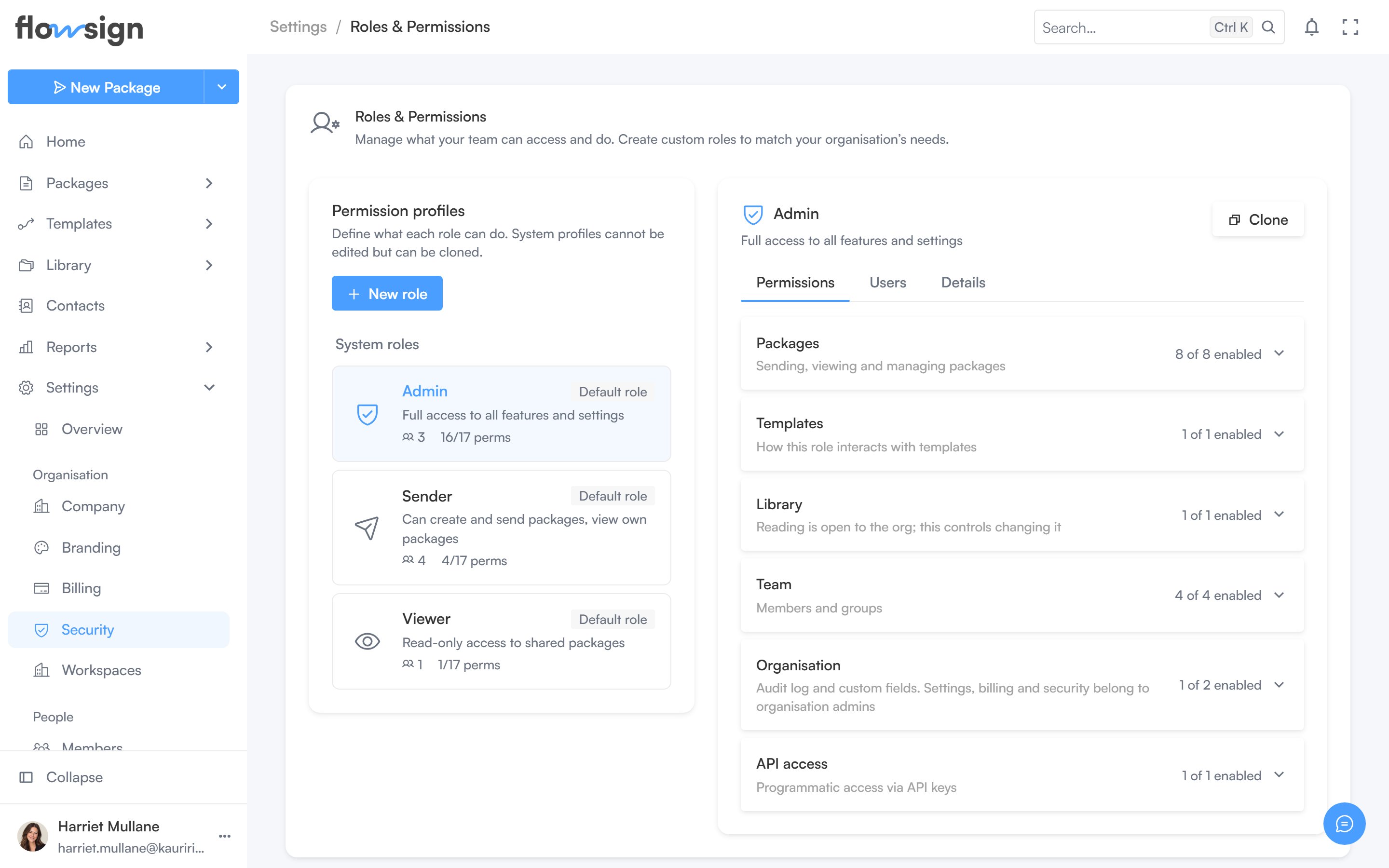
**Roles & Permissions** ("Manage what your team can access and do. Create custom roles to match your organisation's needs.") lists your permission profiles, split into system profiles and custom ones.
 ## Profile list and detail
Select a profile from the list to view and edit its permissions in the panel beside it; nothing is shown there until you pick one. From a profile you can:
* **Clone** it into a new custom profile, pre-named ` (copy)`.
* **Delete** it (custom profiles only).
A **New role** action starts a blank custom profile.
## Related
* [Members](/guides/settings/members)
* [Groups](/guides/settings/groups)
## Profile list and detail
Select a profile from the list to view and edit its permissions in the panel beside it; nothing is shown there until you pick one. From a profile you can:
* **Clone** it into a new custom profile, pre-named ` (copy)`.
* **Delete** it (custom profiles only).
A **New role** action starts a blank custom profile.
## Related
* [Members](/guides/settings/members)
* [Groups](/guides/settings/groups)