> ## Documentation Index
> Fetch the complete documentation index at: https://staging.docs.flowsign.app/llms.txt
> Use this file to discover all available pages before exploring further.
# Signing a document
> What a recipient sees when they open a signing link, and how they complete or decline it.
Opening a package's signing link (`/sign/[token]`) takes a recipient through any required gates, then into the signing experience itself.
 ## Gates
Depending on how the package or template was configured, a recipient may see one or more of these before reaching their documents:
* An **access code** gate, if the package is password protected.
* An **SMS code** gate, for SMS verification.
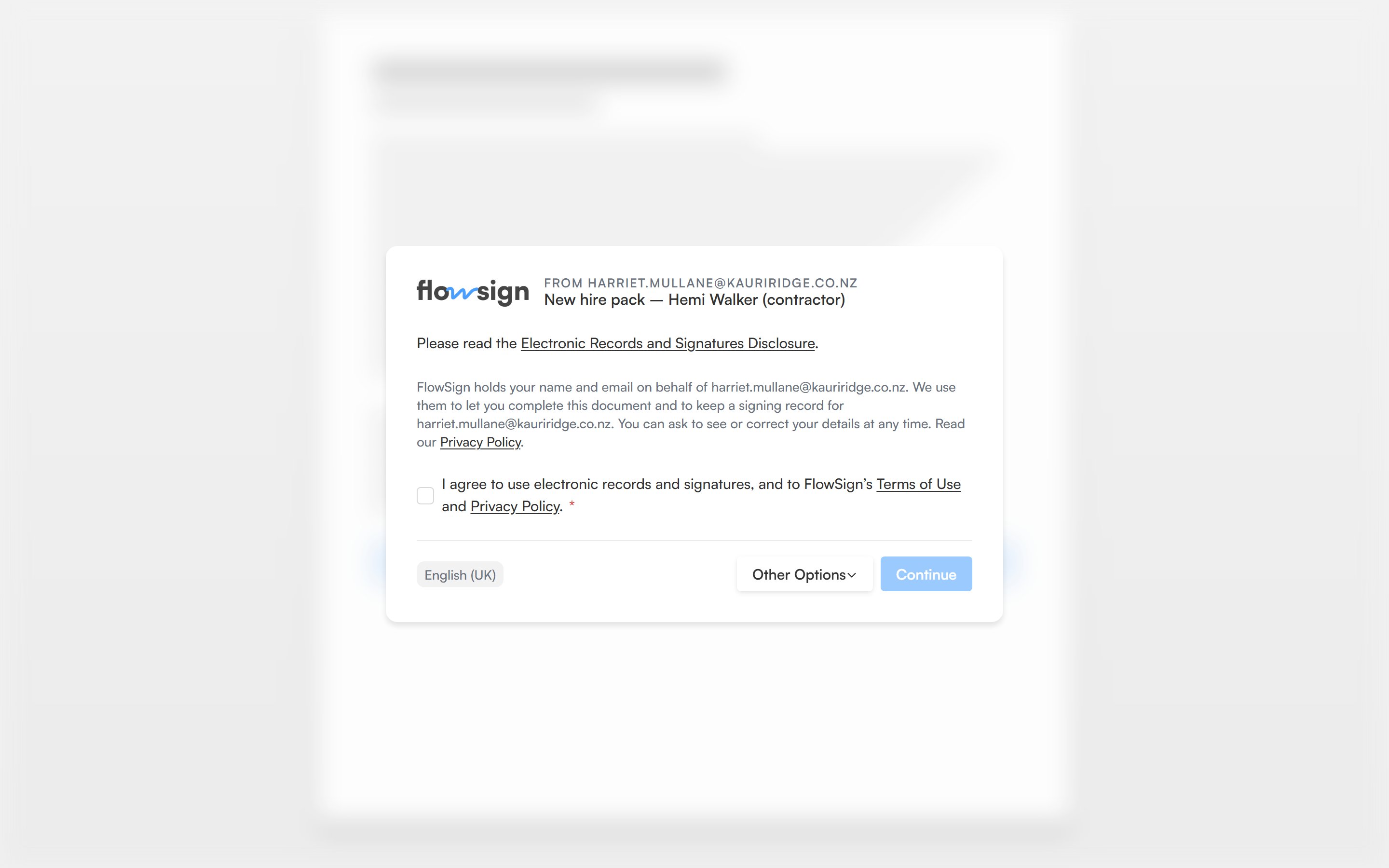
* A **consent** gate, agreeing to sign electronically before viewing documents.
* Workflow questions, if the sender's workflow asks something before signing starts.
An invalid or expired link shows an explanatory state instead of any of the above.
## Signing
Once past the gates, the recipient sees their assigned documents with their fields highlighted. A left rail (or a mobile sheet on small screens) lists their fields and lets them jump between unfilled ones. Filling a signature or initial field opens a capture modal (draw, type or upload). A **Finish Signing** button completes the session once every required field is filled; it reads **Submitting...** while it saves.
## Declining
A recipient can decline instead of signing. **Decline to Sign** ("Pick a reason so the sender knows how to follow up. This can't be undone.") asks for a **Reason** before confirming. Declining cannot be undone.
## Completion
After finishing, a completion screen confirms the signature and explains **What happens next** (for example, other recipients still to act, or the finished document being emailed once everyone is done).
## Related
* [View links](/guides/signing/view-links)
* [In-person signing](/guides/signing/in-person-signing)
* [PowerForm](/guides/templates/powerforms)
## Gates
Depending on how the package or template was configured, a recipient may see one or more of these before reaching their documents:
* An **access code** gate, if the package is password protected.
* An **SMS code** gate, for SMS verification.
* A **consent** gate, agreeing to sign electronically before viewing documents.
* Workflow questions, if the sender's workflow asks something before signing starts.
An invalid or expired link shows an explanatory state instead of any of the above.
## Signing
Once past the gates, the recipient sees their assigned documents with their fields highlighted. A left rail (or a mobile sheet on small screens) lists their fields and lets them jump between unfilled ones. Filling a signature or initial field opens a capture modal (draw, type or upload). A **Finish Signing** button completes the session once every required field is filled; it reads **Submitting...** while it saves.
## Declining
A recipient can decline instead of signing. **Decline to Sign** ("Pick a reason so the sender knows how to follow up. This can't be undone.") asks for a **Reason** before confirming. Declining cannot be undone.
## Completion
After finishing, a completion screen confirms the signature and explains **What happens next** (for example, other recipients still to act, or the finished document being emailed once everyone is done).
## Related
* [View links](/guides/signing/view-links)
* [In-person signing](/guides/signing/in-person-signing)
* [PowerForm](/guides/templates/powerforms)