> ## Documentation Index
> Fetch the complete documentation index at: https://staging.docs.flowsign.app/llms.txt
> Use this file to discover all available pages before exploring further.
# Template Builder
> Build or edit a reusable template, section by section, and place its fields.
**Create Template** and opening an existing template both use the same template builder. For the full step-by-step procedure (creating roles, placing fields, merge fields, email, reminders and locking) see [Building a workflow](/guides/building-a-workflow); this page covers what's on screen.
 ## Sections
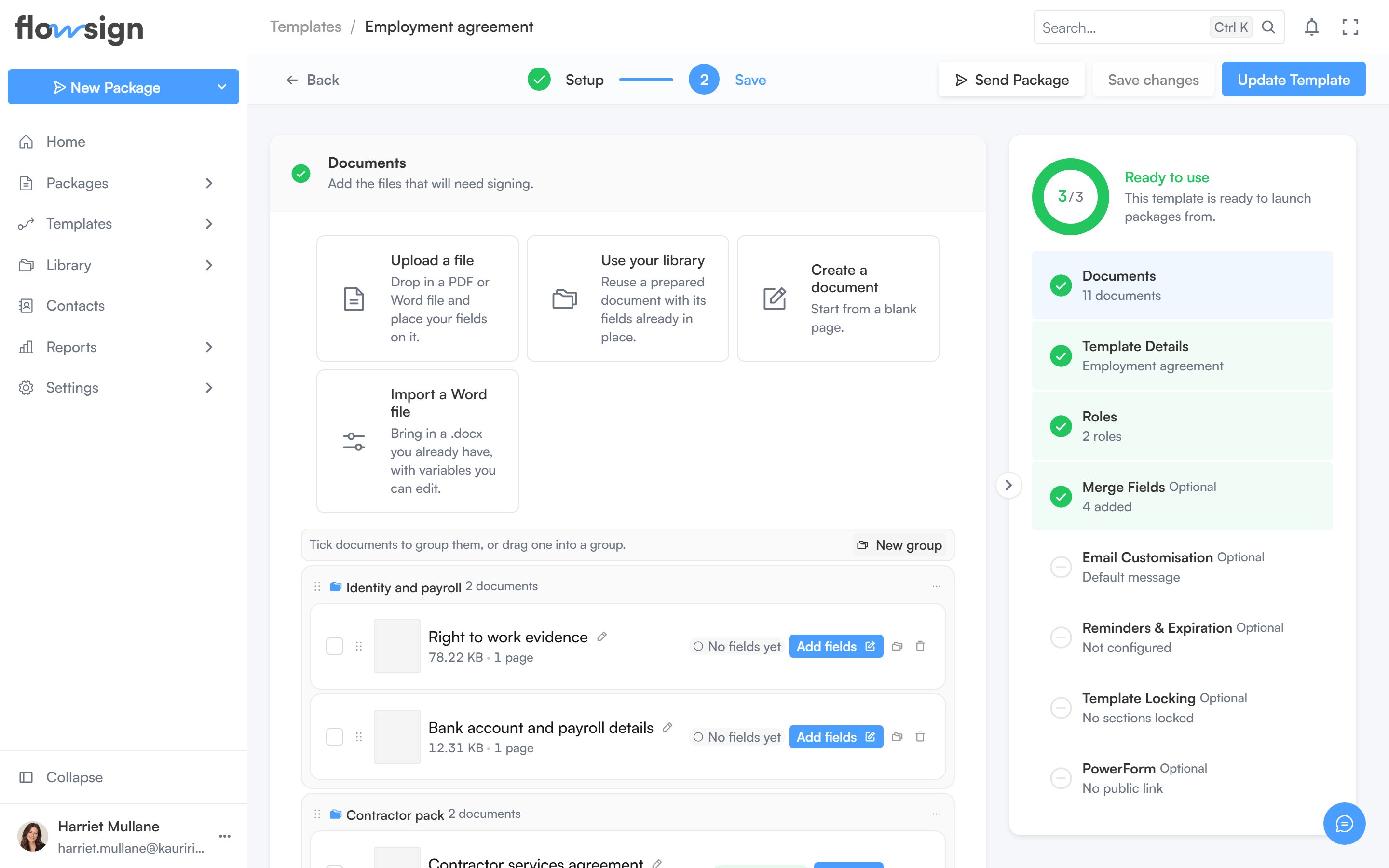
The builder is organised into collapsible sections, opened in order as you complete each one: **Documents**, **Template Details**, **Roles**, **Merge Fields**, **Email Customisation**, **Reminders & Expiration**, **Template Locking** and **PowerForm**. A summary panel on the side tracks completeness and lets you jump to any section. Setting the **Roles** section's signing mode to **Workflow** adds a canvas there that opens the workflow builder: see [Workflow signing](/guides/building-a-workflow#workflow-signing).
## Fields
From the builder, opening the field editor moves you to a dedicated page for placing fields per role. See [Template fields](/guides/templates/template-fields).
## Related
* [Building a workflow](/guides/building-a-workflow)
* [Template fields](/guides/templates/template-fields)
* [PowerForms](/guides/templates/powerforms)
* [All Templates](/guides/templates/all-templates)
## Sections
The builder is organised into collapsible sections, opened in order as you complete each one: **Documents**, **Template Details**, **Roles**, **Merge Fields**, **Email Customisation**, **Reminders & Expiration**, **Template Locking** and **PowerForm**. A summary panel on the side tracks completeness and lets you jump to any section. Setting the **Roles** section's signing mode to **Workflow** adds a canvas there that opens the workflow builder: see [Workflow signing](/guides/building-a-workflow#workflow-signing).
## Fields
From the builder, opening the field editor moves you to a dedicated page for placing fields per role. See [Template fields](/guides/templates/template-fields).
## Related
* [Building a workflow](/guides/building-a-workflow)
* [Template fields](/guides/templates/template-fields)
* [PowerForms](/guides/templates/powerforms)
* [All Templates](/guides/templates/all-templates)