

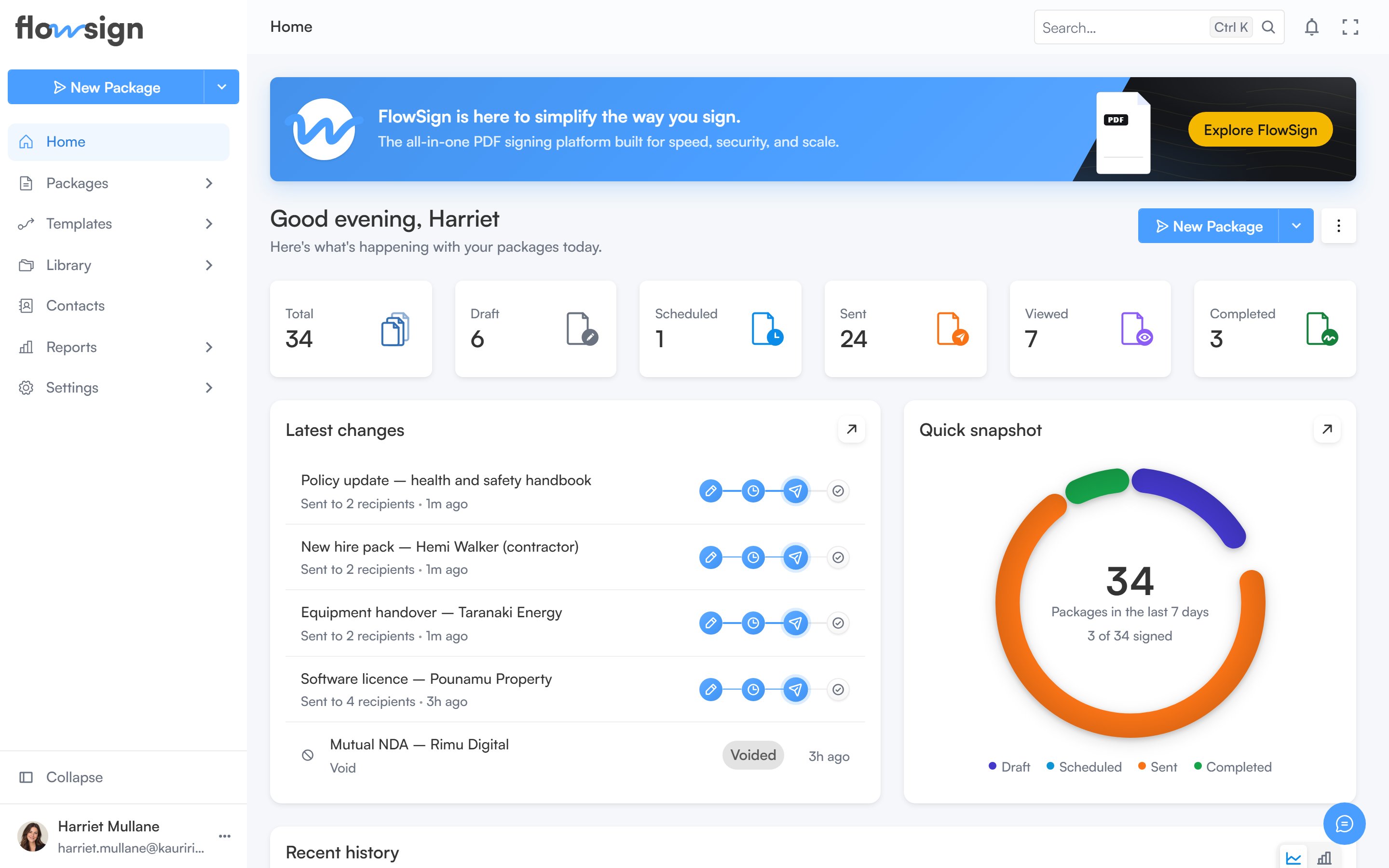
Home, with package stats across the top and recent activity below.
Banner
A banner introduces FlowSign with an Explore FlowSign button that opens the product walkthrough dialog.Greeting row
Below the banner, a greeting shows your first name alongside two actions:- The Create split button, which starts a new package. It only appears if your role has the
canSendPackagespermission. - A kebab menu of dashboard options (see below).
Dashboard options menu
The kebab menu next to the greeting has three panels:- Adjust layout: switch the dashboard between Default and Compact density, and turn individual sections on or off: Stats, Recent, Status and Activity. When the Stats section is on, you can also choose which individual stat cards appear. A Reset to default button clears your customisations; Done closes the panel.
- Date range: choose one of the preset ranges, or Custom range… to pick specific dates. The chosen range applies to the stats, status card and activity chart.
- Refresh data: shows when the dashboard’s data last synced, and a Refresh now button.
Stats
A row of stat cards summarising your packages for the selected date range: total, draft, scheduled, sent, viewed, signed, rejected, on hold and expired. Each card links through to the packages list filtered to that status. Which cards show is controlled from Adjust layout.Latest changes and document status
Two cards side by side:- Latest changes: your most recently updated packages, with a View all link through to Packages.
- Document status: a breakdown of your packages by status for the selected date range.
Document activity
A chart of document activity over the selected date range, shown beneath the two cards above.If every section is switched off in Adjust layout, the page shows an empty state: Your dashboard is empty, with a hint to reopen Adjust layout.