

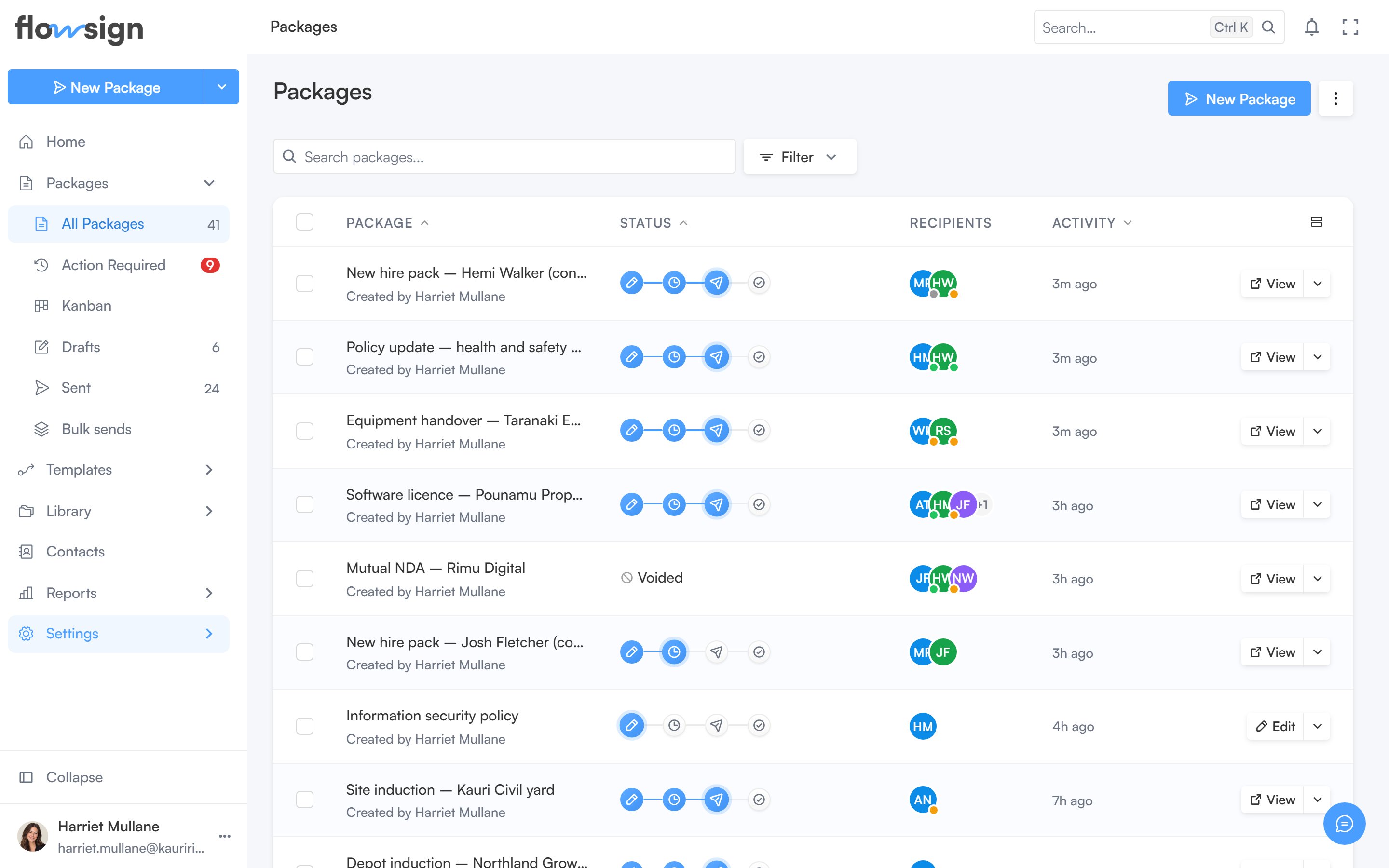
The packages list, with its toolbar, status tags and recipients.
Header
The heading shows New Package, which opens the package creator (hidden if your role lackscanSendPackages). Next to it, a view menu switches between List and Board (the Kanban view). If your role has canViewAllPackages, a shared-access control lets you switch between packages you own and everyone’s.
Toolbar
- A search box, placeholder Search packages….
- A filter menu for status, date range and other list filters.
- A columns menu to show or hide table columns: Package, Status, Recipients, Custom fields and Activity. Package is always shown, and Custom fields is off until you turn it on.
canDeletePackages), plus Clear to drop the selection.
Table
Each row is a package with its title, status tag (Draft, Scheduled, Sent, Completed, Declined, On Hold, Voided), recipients and recent activity. Clicking a row opens the package detail page (or a preview side panel).A status filter can also be reached directly with
?status=, e.g. from a stat card on Home.Empty states
- No packages at all: No packages yet, with Package vs Template (a link explaining when to use each) and New Package.
- A filter or search matches nothing: No results for ”…” or No
<status>packages, with Clear all filters.