

canViewAllPackages) sees only their own documents, with a note: “Your own documents only – seeing the whole organisation’s throughput needs the view all packages permission.”
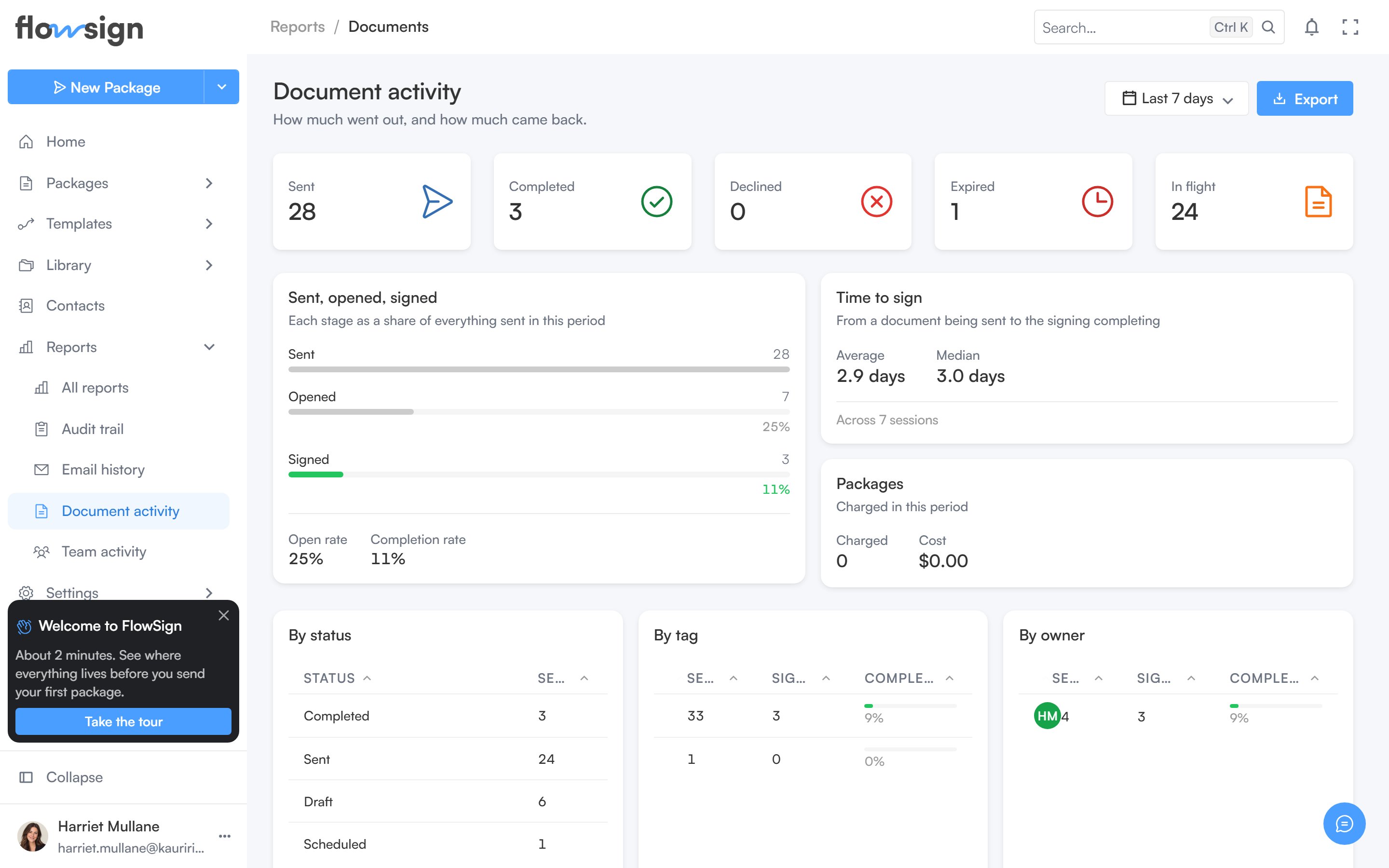
Document activity: what went out, and how much came back.
Header
A date range picker and an export menu (one CSV per table: by status, by tag, by owner, by template, stalled documents, declined documents).Stat cards
Sent, Completed, Declined, Expired and In flight counts for the range.Sent, opened, signed
A funnel showing each stage as a share of everything sent in the period, alongside open rate and completion rate.Time to sign
Average and Median time from a document being sent to signing completing, with the sample size it was calculated from.Packages
Organisation admins also see Charged and Cost for packages in the period.Breakdowns
Four tables: By status, By tag, By owner and By template.Stalled and Declined
- Stalled: documents sent and never opened past the stall threshold. Empty state: Nothing has stalled: “Every document sent in this period has been opened.”
- Declined: documents a recipient turned down. Empty state: Nothing was declined.