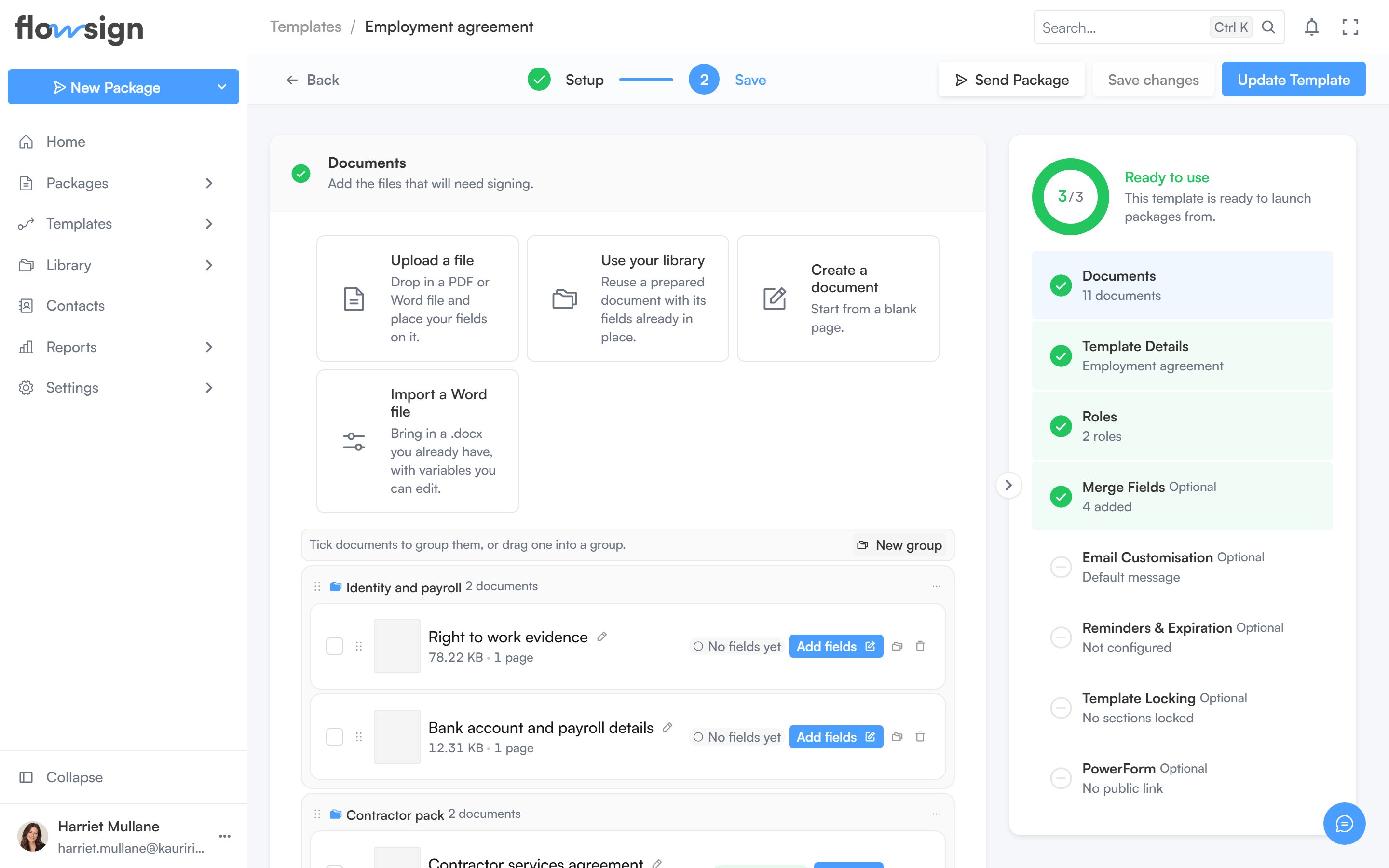
Build or edit a reusable template, section by section, and place its fields.
Create Template and opening an existing template both use the same template builder. For the full step-by-step procedure (creating roles, placing fields, merge fields, email, reminders and locking) see Building a workflow; this page covers what’s on screen.
The template builder, with the template's roles and documents.
The builder is organised into collapsible sections, opened in order as you complete each one: Documents, Template Details, Roles, Merge Fields, Email Customisation, Reminders & Expiration, Template Locking and PowerForm. A summary panel on the side tracks completeness and lets you jump to any section. Setting the Roles section’s signing mode to Workflow adds a canvas there that opens the workflow builder: see Workflow signing.