

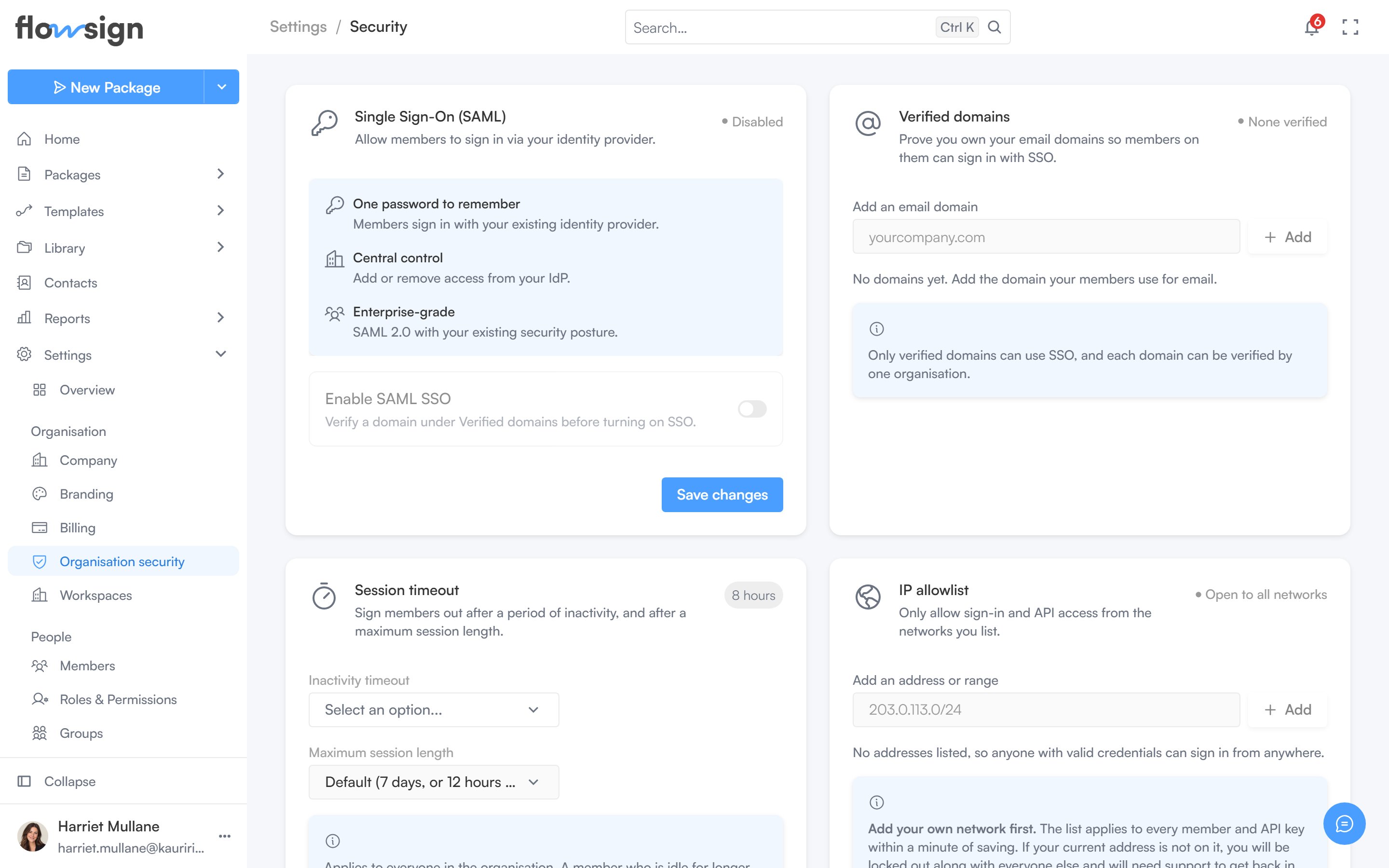
Organisation security, with single sign-on, verified domains, session timeout and the IP allowlist.
Session timeout
“Sign members out after a period of inactivity, and after a maximum session length.” Set an Inactivity timeout, a Maximum session length, or both. Left on the default, a session lasts 7 days, or 12 hours when Require SSO is on.IP allowlist
“Only allow sign-in and API access from the networks you list.” Add an IPv4 address, a CIDR range such as203.0.113.0/24, or an IPv6 address.
The list applies to every member and every API key as soon as it is saved, so FlowSign asks you to confirm that the first address you add is the network you are on right now. Removing an address cuts off anyone on it once you save. Removing every address turns IP restrictions off.
Data retention
“Automatically delete old documents after a set time.” Turn on Automatically delete completed documents and choose how many days after completion a document is kept. Once that window passes, the package and its stored documents are permanently deleted. Copies emailed to each party when the package completed stay in their inboxes; retention can’t reach them. Turning it on asks for confirmation because it affects every completed document.Single sign-on
Single sign-on requires a plan with thesso gate. On a lower plan the page shows a locked upsell in its place, and the three sections below are hidden.
Verified domains
“Prove you own your email domains so members on them can sign in with SSO.” Add a domain such asyourcompany.com and verify it. A domain must be verified before SSO can be turned on. Removing a domain means members on it can no longer sign in with SSO.